
Quick start
Run your first rehearsal with Stage
Start a song on one device and follow it on another.
1
Open Stage and take the lead
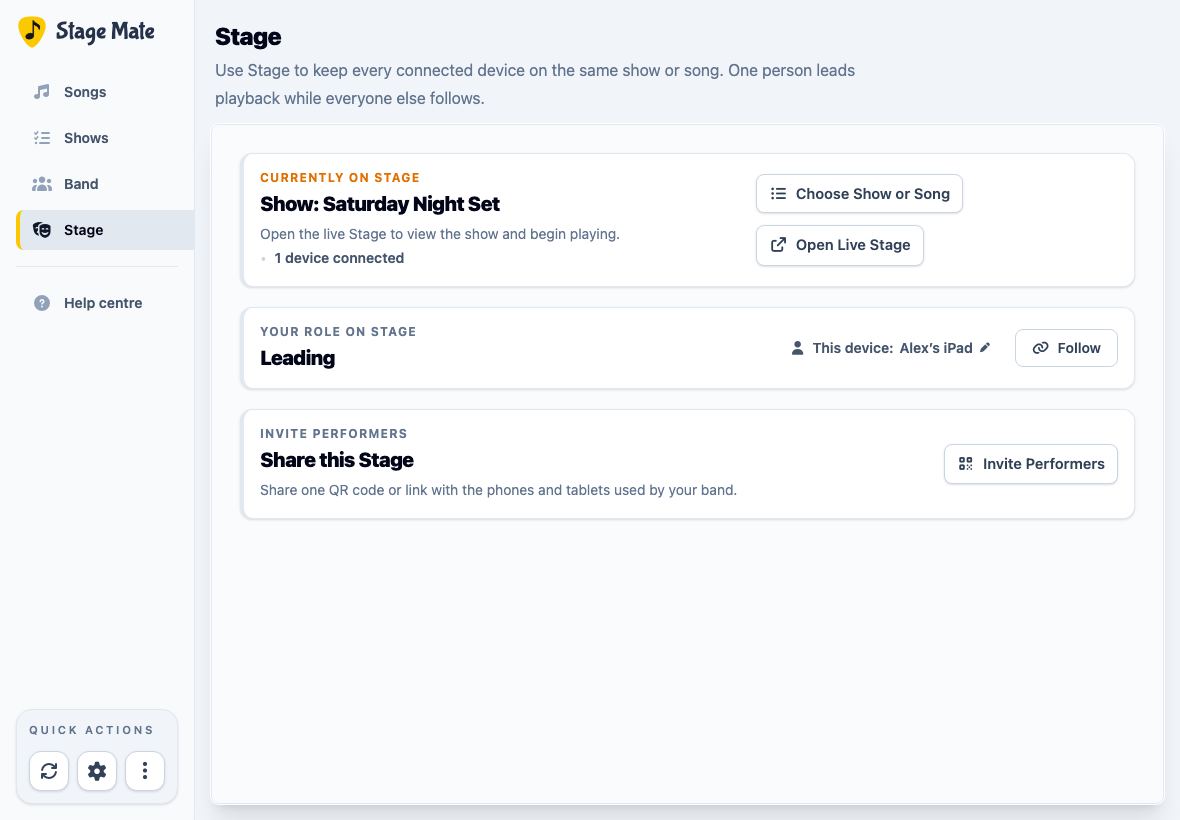
Open Stage from the main navigation. If prompted, give your device a name the band will recognise, such as “Alex’s iPad”. Choose Take the Lead.
2
Put a show or song on Stage
Choose Choose Show or Song, open the Shows or Songs tab, then select the item you want to share.
3
Invite a bandmate
On Stage home, choose Invite Performers. Ask your bandmate to scan the QR code or open the invitation link on the device they'll use. After they name their device, check that it says Following.
4
Start a song and check both screens
On the leading device, choose Open Live Stage. If you chose a show, use the play button beside the set to open its first song. Press Play and check that your bandmate sees the same song and that both devices scroll together.